Studio wizard
Pick a layout, brand it, choose your annotated entities, and ship a themed multi-page app extension. On rails and deterministic — the same picks produce the same bundle every time.
STUDIO
Studio is how you build real software on FastYoke™ — applications composed from finite-state boards you can generate, version, diff, and own.
Drag a state on the canvas, or type it as Yoke source. They are two views of the same document, and neither one is the "real" copy.
Available today
Three ways to build, shipping now
Pick a layout, brand it, choose your annotated entities, and ship a themed multi-page app extension. On rails and deterministic — the same picks produce the same bundle every time.
The Enterprise Platform delivery surface: author engineering specs (by hand or with AI), track nav and page health, and download a handoff zip for an external SDK developer.
Your app is a value — one tree of data with boards, states, guards, pages, and bridges. Read it, version it, regenerate it, compile it.
The canvas
The canvas is the visual surface over your app: every entity's workflow as a graph, every state and transition selectable, with an inspector for whatever you have in hand and a problems panel that never lets a broken app publish.
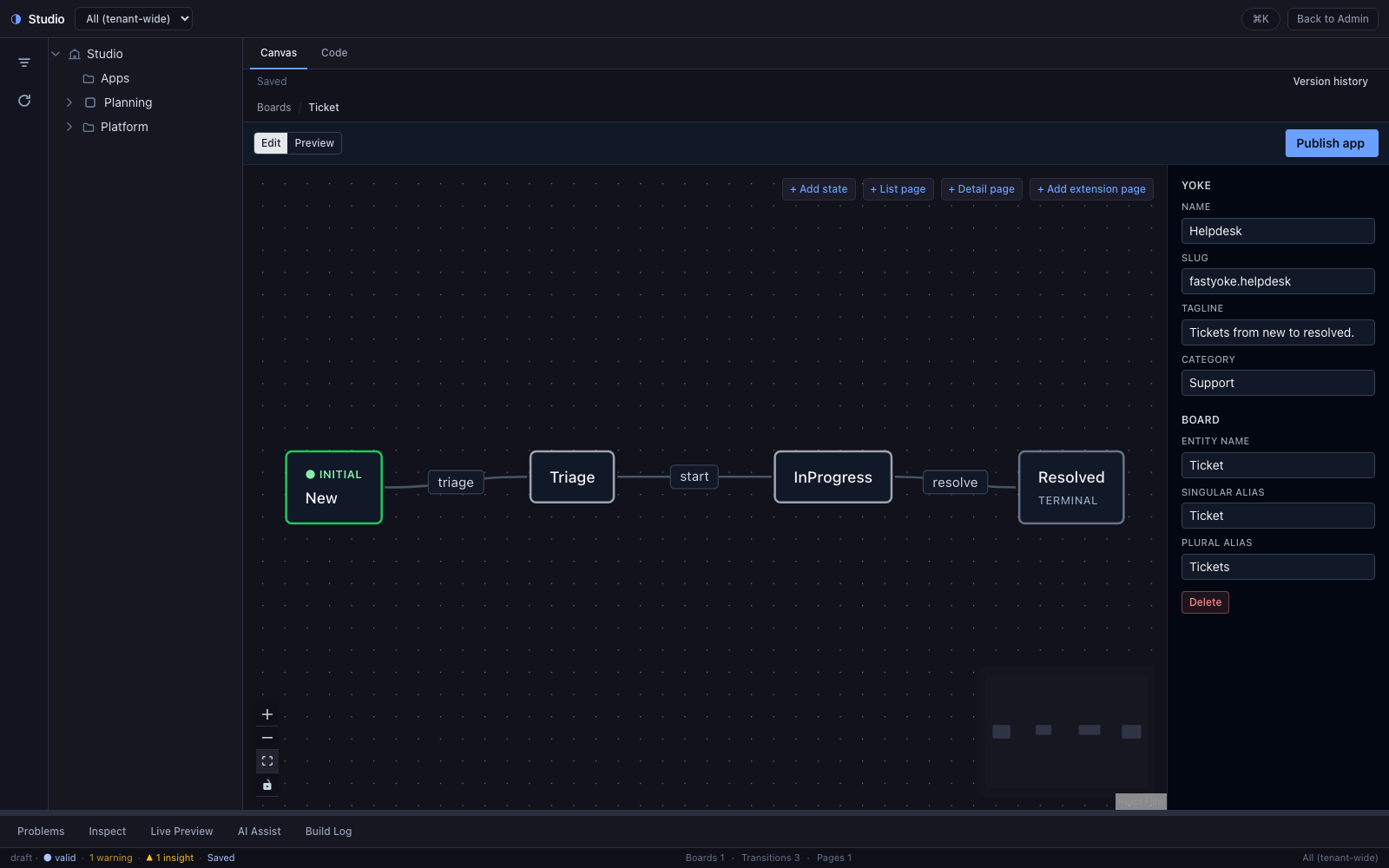
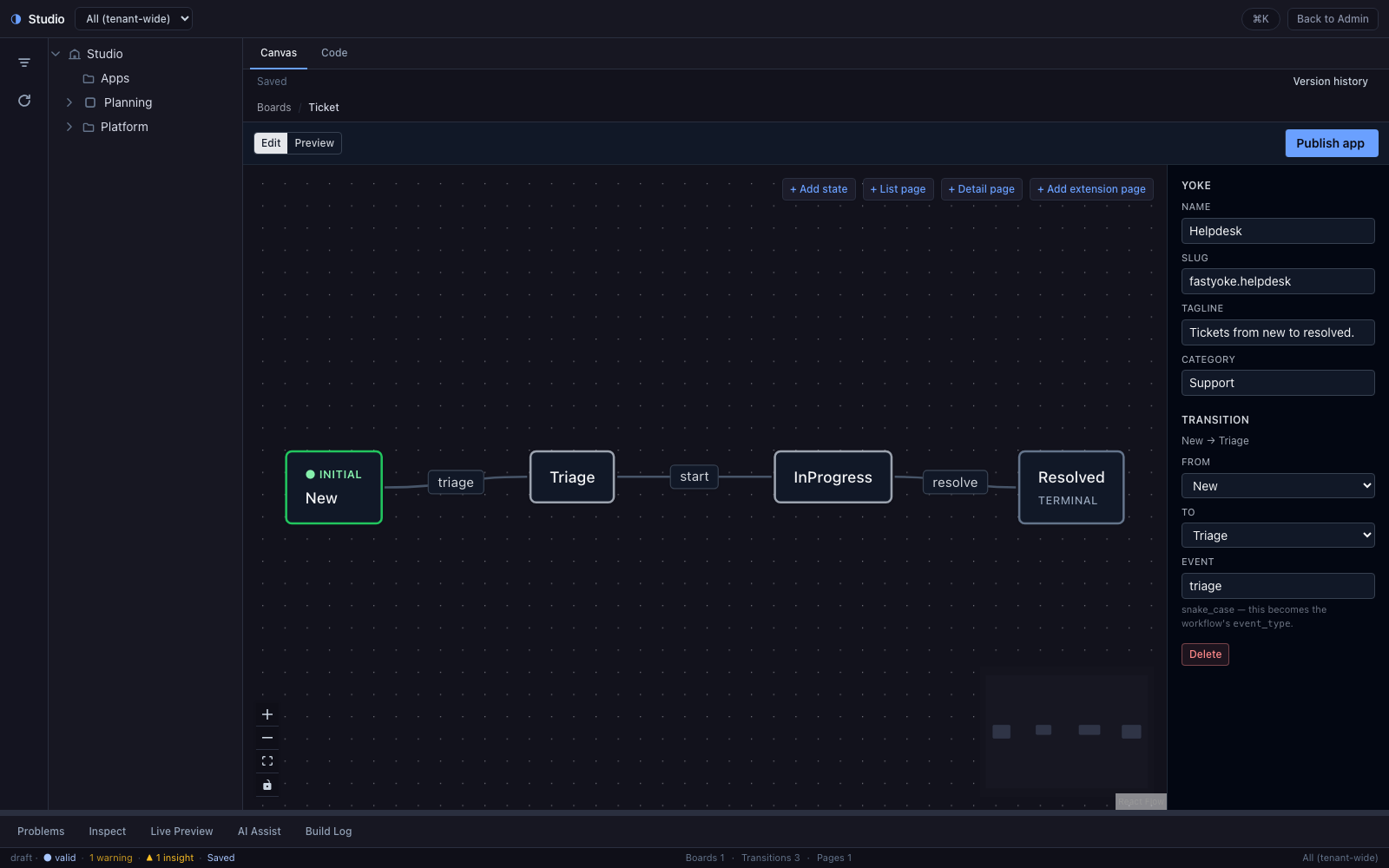
Select a transition and the inspector shows the states it runs between and the event that fires it. Rename a state, add a page, wire a new edge — every edit is an edit of the app document, which means it is also an edit of the source.
The visual builder
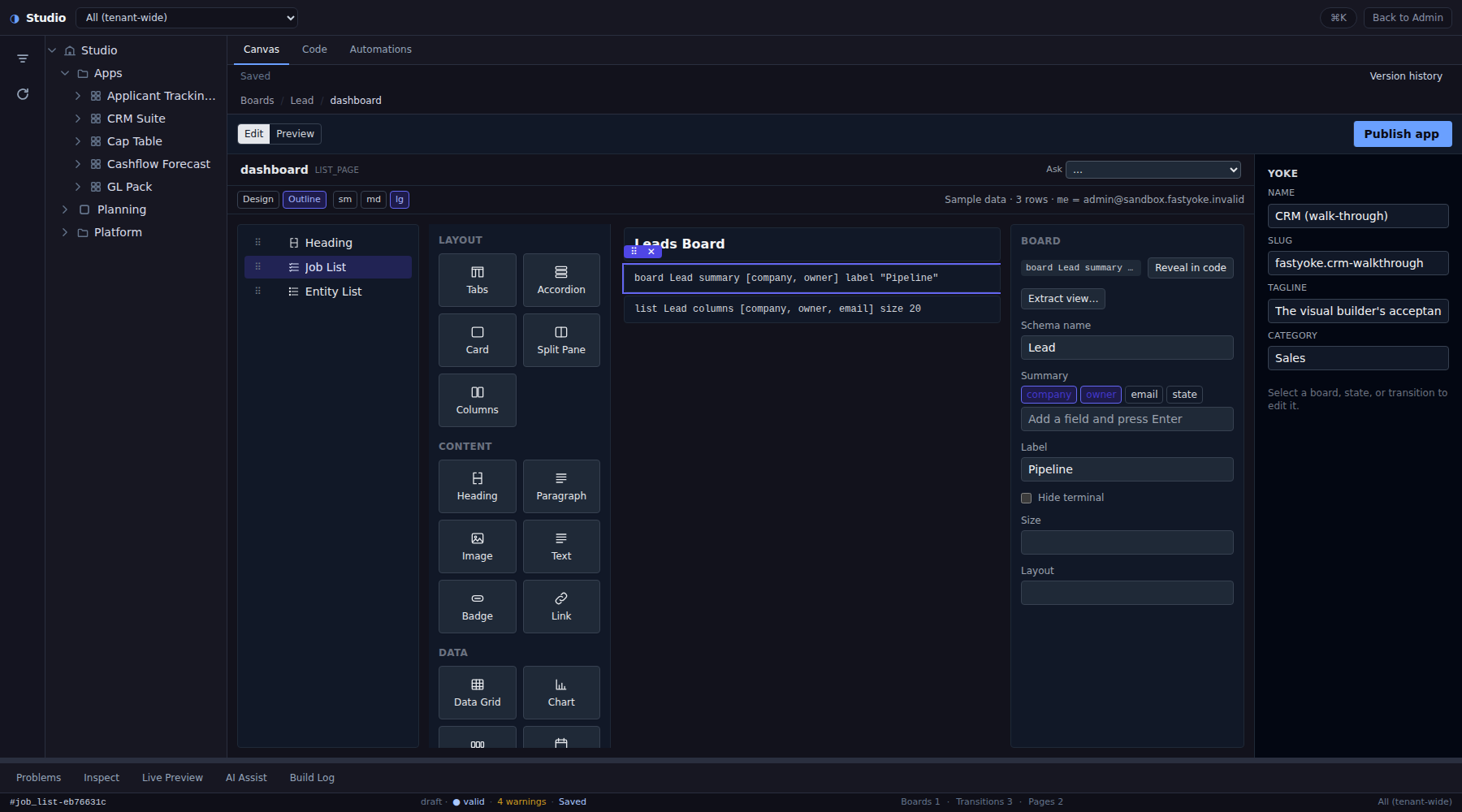
Double-click a page on a board and it opens in the visual builder: a palette of blocks, an outline of the page, the page itself, and an inspector for whatever you have selected. Drop a card into a column, a stat under a list, a field inside a section — every depth takes a drop, and every drop lands as one line of Yoke source you can read in the Code tab.
The inspector is generated from the language's own schema, so a block's options are the words the source accepts and nothing else. Pick a summary field, set a label, toggle a flag: the line rewrites, the rest of your text stays as you wrote it.
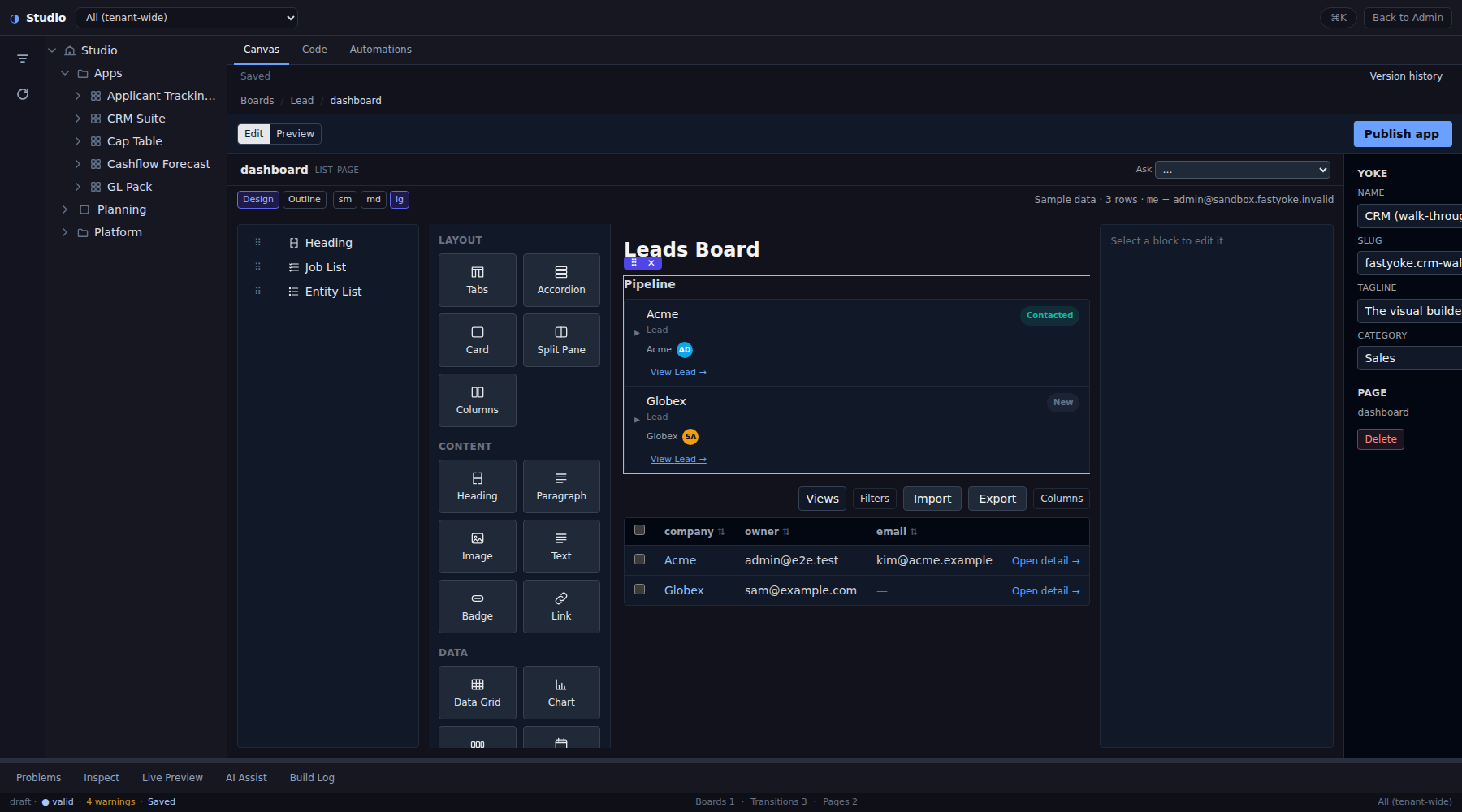
Design mode renders the page over sample rows drawn from the app's own seed, so a list has rows, a stat has a number and a detail page has a record to show. Switch breakpoints, pick another record, double-click a label and retype it in place — each is still one edit to the source.
Views, components and app pages. Extract a repeated subtree into a
view with parameters and reuse it with use; declare a React component
beside the source as a .tsx file with typed props and mount it on a page,
where it renders live from the draft; or give a page a whole single-page
directory of its own. Files sit next to the source in the Code tab, with the
same checks a build runs, marked in the gutter as you type.
Read the canvas docs
The assistant in Studio
The AI Assist tab is a chat about the app you have open. It sees the source, the files beside it, what you have selected and the problems list — and nothing else. Ask what a page shows and the answer cites the source; each citation is a button that selects the block and shows its line.
Ask for a change and the assistant does not edit anything. It proposes one of the builder's own asks as a card; Apply runs it through the platform, which applies the result to a copy of the source, compiles and checks it, and shows you the change as a preview. What you accept is one ordinary edit, so undo works as usual — and the conversation is saved with the draft.
How the assistant works
The Code tab
The same app, as text you can read end to end. A state you add on the canvas appears as a word in the source; a transition you type in the source appears as an edge on the canvas.
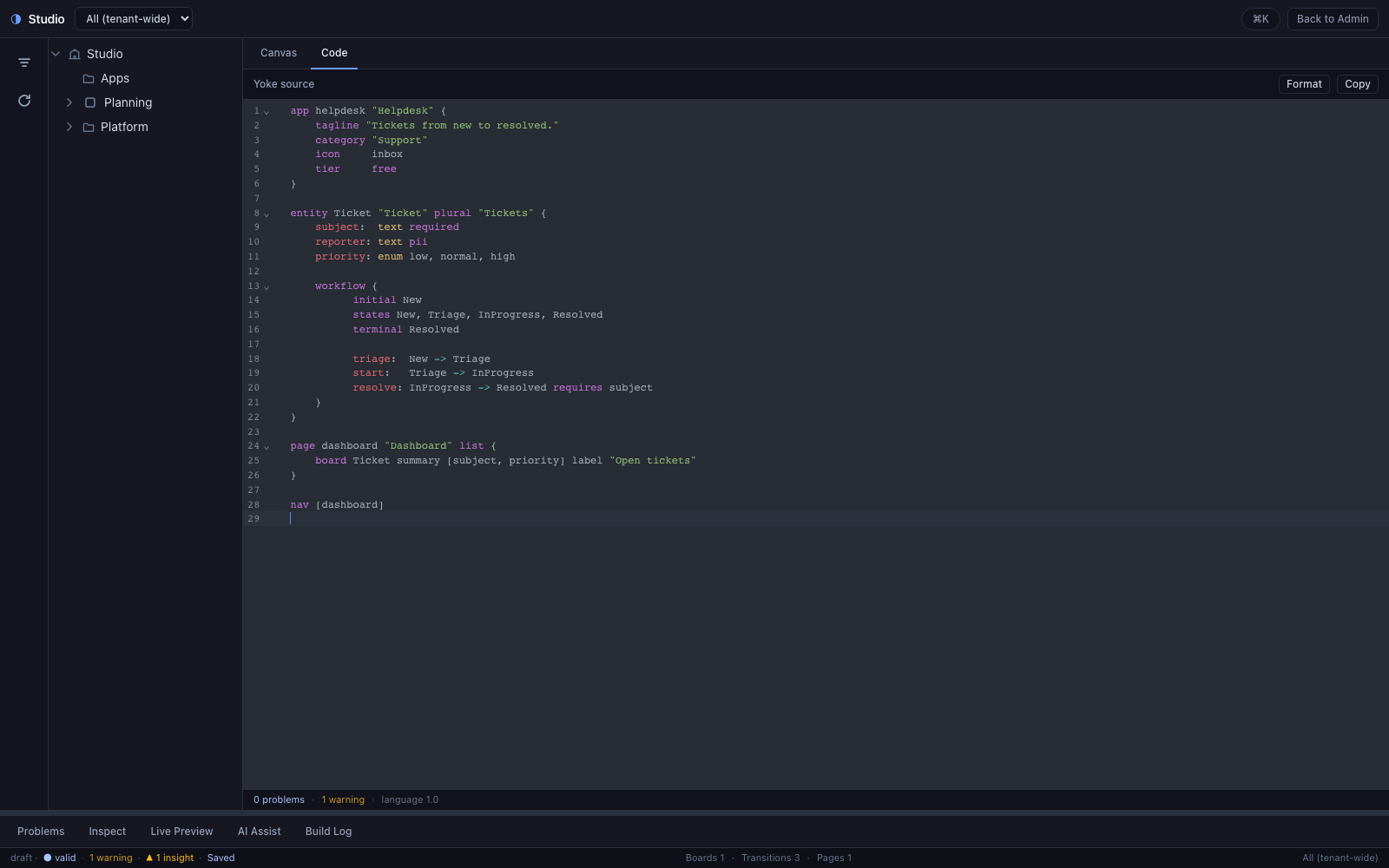
Your formatting survives. Adding a state on the canvas rewrites the
states line of that workflow and nothing else. Your comments, your spacing
and the order you wrote things in are left exactly as they were — the Code tab
never reformats your text on its own.
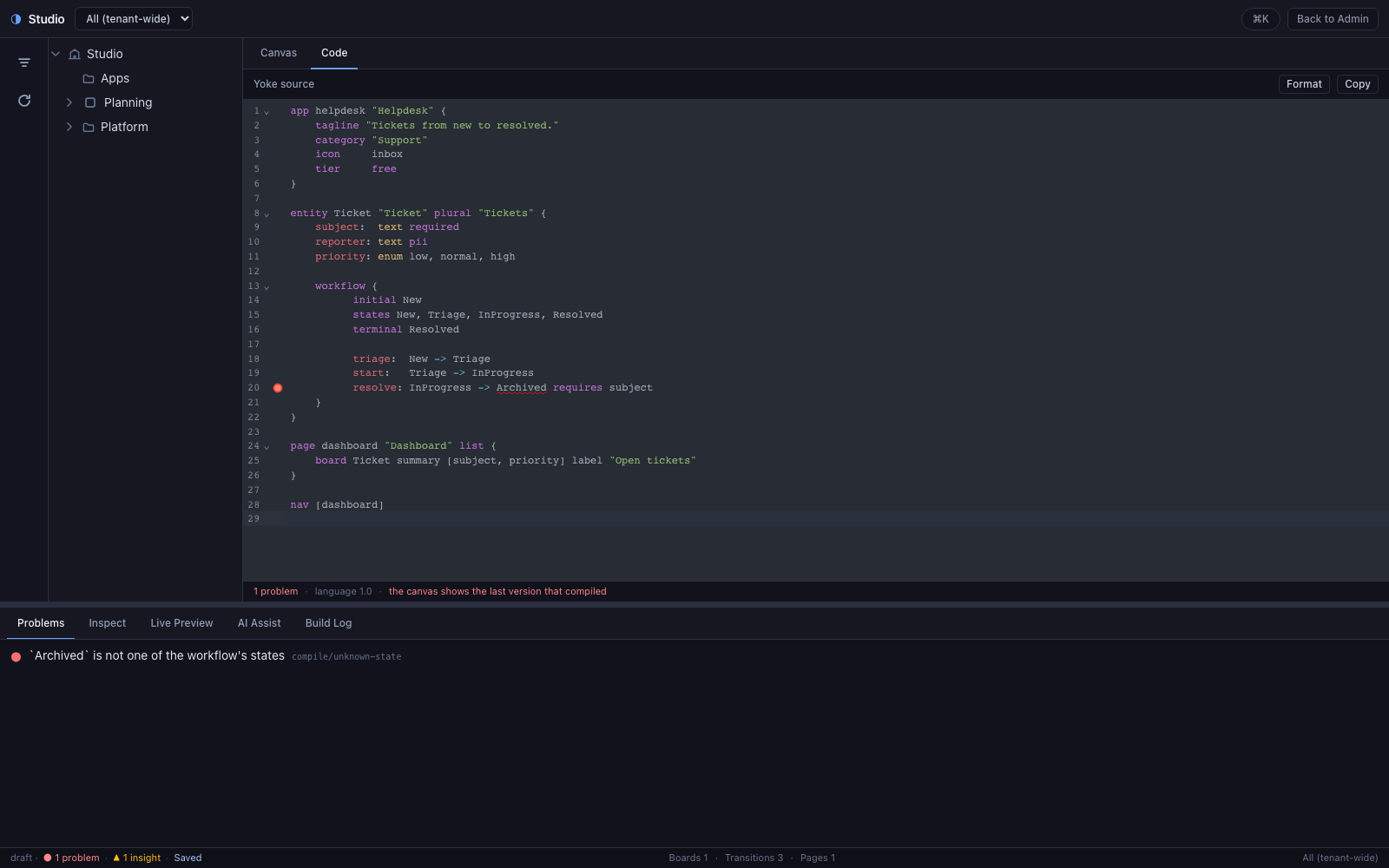
Problems show up as you type, in the editor's gutter, in the strip under the editor, in the Problems panel and in the status bar — always the same count, always pointing at the span that caused them.
Read the docs
The Yoke language
Yoke source is deliberately small: no loops, no function calls, no conditionals, no imports. Every word it understands comes from a fixed table, so an app can be read top to bottom without wondering what is hiding behind an abstraction.
Yoke
An app's entities, workflow, pages and seed data
app helpdesk "Helpdesk" {
  tagline  "Tickets from new to resolved."
  category "Support"
  tier     free
}

entity Ticket "Ticket" plural "Tickets" {
  subject:  text required
  reporter: text pii
  priority: enum low, normal, high
  owner:    ref User on delete nullify

  workflow {
    initial New
    states New, Triage, InProgress, Resolved
    terminal Resolved

    triage:  New        -> Triage
    start:   Triage     -> InProgress requires owner
    resolve: InProgress -> Resolved   requires resolution
  }
}

page dashboard "Dashboard" list {
  board Ticket summary [subject, priority, owner] label "Open tickets"
  stat  "Unassigned" = count(Ticket where owner == null)
}

nav [dashboard]
That file compiles to the app the platform installs and runs — and decompiles back out of it, so an app built entirely by clicking around still reads as text you can diff and review.
A pull request shows a workflow change as three lines, not a JSON blob. States, guards and pages diff the way code diffs.
requires for required fields, when for an expression, and a JSONLogic literal for anything else — so the small language never becomes a limiting one.
Publish stores your source beside the compiled app, comments and all. The API hands both back.
Read the language guide
Every word, type and operator
Studio rests on a simple, opinionated idea: your app should be a document you can read, not hidden imperative state inside an editor. That thesis — and an ode to Haskell — lives in Yoke Architect.
Read the thesis